Your Passwords & Account Access
Your passwords are the front doors to your digital identity, but human memory simply isn't designed to securely manage dozens of complex, unique codes. Bad actors don't break into your accounts by guessing your passwords; they break in by exploiting our natural psychological need for convenience, pattern-making, and familiarity.
The Domino Effect of "Summer2024!"
Maya was a busy marketing manager juggling a dozen different software tools for work, plus her own personal banking, streaming, and social media accounts.
Like most people, she experienced severe "password fatigue."
To cope, she developed a mental shortcut: she used a core root word, capitalized the first letter, added the current year, and threw an exclamation point at the end.
When a niche online fitness forum she joined three years ago experienced a data breach, Maya thought nothing of it. She hadn't used the site in years.
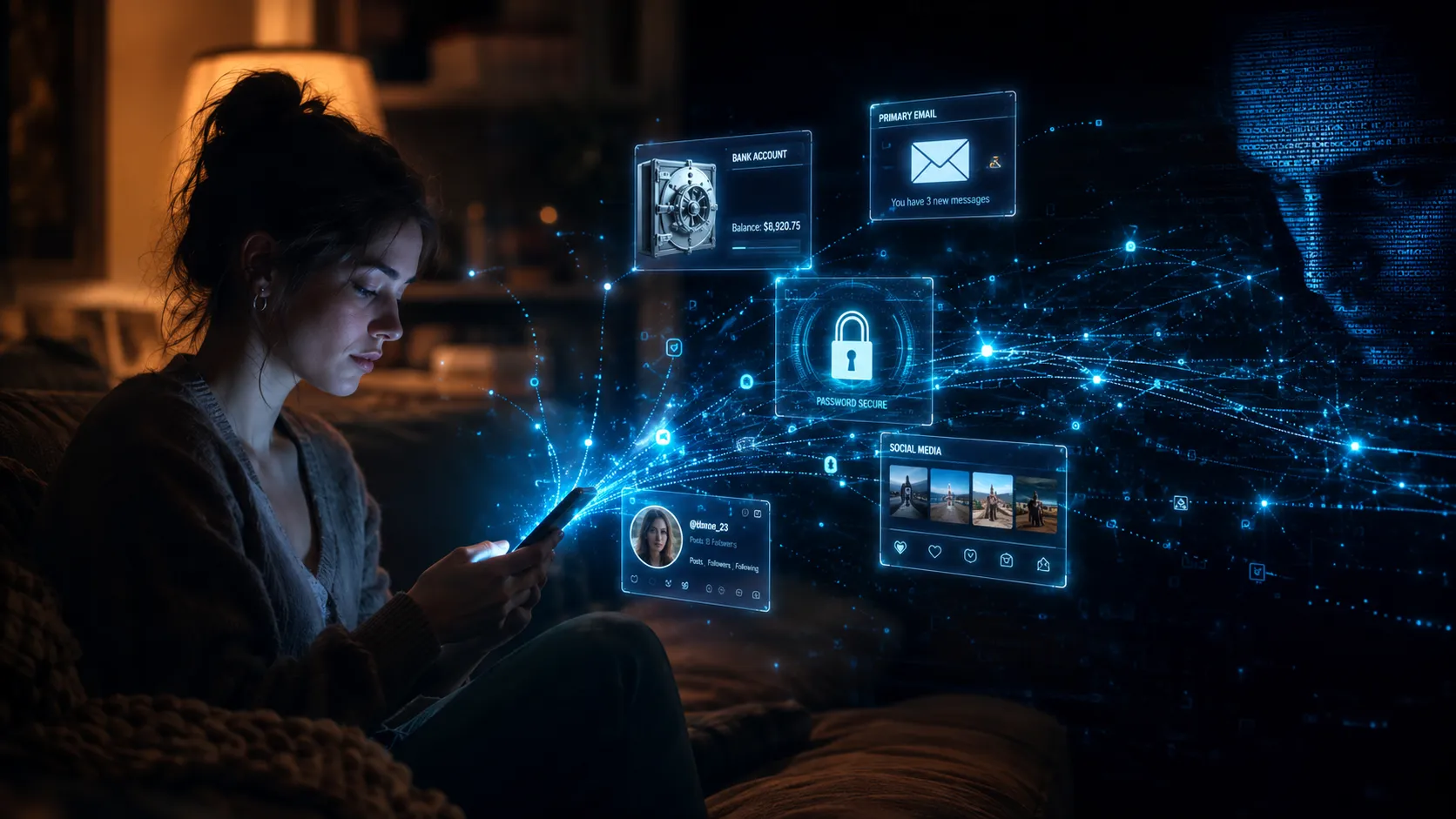
However, the hackers didn't care about her fitness profile. They took her exposed email and her password (in this case, "Fitness2021!") and fed them into automated credential-stuffing software.
The software easily recognized the predictable human pattern. It automatically began testing logical variations:
- "Fitness2024!"
- "Fitness2025!"
- "Maya2025!"
- and finally, "Maya2026!"
Within milliseconds, the bots successfully logged into her primary personal email account.
Because Maya’s email was the recovery hub for her entire digital life, the attackers didn't need to guess another password.
They simply clicked "Forgot Password" on her online banking, her Amazon account, and her Instagram. All the reset links were routed directly to the inbox they now controlled.
Maya woke up to a locked phone, zeroed-out digital wallets, and her social media accounts being used to scam her friends, all because she trusted a predictable cognitive shortcut.
The 6 Pillars of Account Compromise
To understand how Maya's life was hijacked so quickly, we have to look at how modern attackers systematically dismantle the entire authentication chain.
1. Weak Passwords and How They Are Cracked
Attackers no longer sit at keyboards guessing your pet's name. They use graphics processing units (GPUs) capable of firing 100 billion guesses per second.
To a computer, a short "complex" password like J#9pQ$2v is mathematically much weaker and faster to crack than a long, simple passphrase like coffeebatmanrunsocean. Complexity is a human illusion; length is mathematical reality.
2. Password Reuse Across Accounts: The Domino Effect
Because humans physically cannot memorize 100 unique passwords, over 65% of people reuse the same credentials.
Attackers buy databases of breached passwords from low-security websites (like old forums) and use "Credential Stuffing" software to automatically test them against high-security sites (like banks and email providers).
3. Account Takeover and What Happens Next
Once an attacker is inside, they don't just steal money. They pivot.
A compromised email account is scoured for tax documents and identity proofs. A compromised social media account is used to message the victim's friends with urgent fake emergencies. The account itself becomes a trusted weapon used to attack the victim's inner circle.
4. Recovery Options and Their Vulnerabilities
Your account is only as secure as its recovery method.
If you use "Mother's Maiden Name" or "High School Mascot" as security questions, you are relying on public records to protect your private data. Furthermore, SMS-based password resets can be intercepted, and email-based resets create a single "Master Key" point of failure.
5. Two-Factor Authentication: Real Protection or False Security?
SMS text message 2FA provides false security; attackers can bribe telecom workers or use social engineering to execute a "SIM Swap," routing your texts to their phone.
Authenticator Apps (like Google Authenticator or Authy) provide real protection, as they generate offline, time-based codes tied to your physical device.
Not all 2FA is created equal.
6. Future Attacks on Biometric Authentication
Fingerprints and Voice ID feel foolproof, but they introduce a terrifying new risk: you cannot reset your face or voice.
As AI deepfakes and voice-cloning technology become cheaper, attackers are beginning to spoof biometric checks. If a password leaks, you change it. If your biometric hash leaks, it is compromised for life.
What Is Actually Happening: Exploitation
These core facts and statistics explore the main vectors targeted across the password and account access modules.
The Reuse Trap
The human brain cannot memorize the 100+ unique, complex passwords required for modern digital life. Exhausted by the cognitive load, 65% of people reuse the same password or a slight variation across multiple sites.
Skipping the Extra Step
Humans are psychologically wired to choose the path of least resistance. When prompted to set up Multi-Factor Authentication (MFA), over half of users click "Remind Me Later" to avoid the minor 5-second friction of opening an authenticator app.
The "I'm Not Important" Myth
Many users use weak access controls because they believe they have nothing worth stealing. Attackers, however, value access over net worth: a compromised account is a launching pad to scam the victim's richer contacts.
Now Try It From the Other Side
This is a working model of how advanced authentication vulnerabilities are constructed to exploit specific human and technological limitations.
You are looking at this from the attacker's perspective. The password has already been compromised. Now, the attacker must bypass the victim's Multi-Factor Authentication (2FA) and Biometric Voice ID to drain their bank account.
The simulation explores the critical difference between SMS text messages and Authenticator Apps, and the emerging threat of AI voice cloning against biometric security.
What That Just Showed You
The simulation highlights that poor password hygiene is not a failure of intelligence, but a failure to adapt human memory to digital demands.
1. Human memory cannot scale to modern security demands.
Our brains are exceptional at recognizing faces and understanding context, but terrible at recalling random strings of alphanumeric characters.
Attackers know that if they force you to rely on your memory, you will eventually resort to patterns or reuse. Relying on memory is an inherent system vulnerability.
2. Security friction is a necessary feature, not a bug.
The human desire for a seamless, one-click login experience directly conflicts with security. Multi-Factor Authentication (MFA) introduces intentional "friction".
Attackers rely on our impatience, hoping we disable these barriers. Embracing this friction is the only way to break automated attack chains.
3. Your inbox is your digital Achilles' heel.
We often cognitively separate our accounts: banking feels high-risk, while email feels low-risk.
Attackers understand that the "Forgot Password" ecosystem makes your primary email the ultimate prize. If an attacker controls your inbox, the strength of your other passwords becomes entirely irrelevant.
Three Things Worth Doing
You do not need to rewrite your security guidelines today. Pick one action to integrate into your online routine.
1. Outsource your memory to a Vault:
Stop trying to remember passwords. Use a reputable Password Manager (like Bitwarden, 1Password, or Apple Password). This shifts the psychological burden from memorizing dozens of complex codes to memorizing exactly one master passphrase.
2. Upgrade your 2FA from SMS to an App:
SMS texts can be intercepted or SIM-swapped. Move your most important accounts (Email, Banking, Crypto) to an Authenticator app or a hardware security key (like YubiKey).
3. Lock down the "Master Key" account:
Treat your primary email account differently than everything else. Turn on the highest level of Multi-Factor Authentication (MFA) available for it. If your email falls, every other account falls with it.
One Question Before You Continue
Why is SMS-based Two-Factor Authentication (receiving a code via text) increasingly considered a 'false security' vulnerability for high-value accounts?